Showing posts with label Phone ႏွင့္ ဆိုင္သမွ်. Show all posts

Friday, 28 September 2012

ANDROID USER မ်ားအတြက္ လွ်ဳိ၀ွက္ကုဒ္မ်ား

ANDROID USER မ်ားအတြက္ လွ်ဳိ၀ွက္ကုဒ္မ်ား (မ်ားမ်ားကလိမွ မ်ားမ်ာသိၿပီ း ၿမန္ၿမန္ပ်က္မည္ )
Android ဖုန္းအတြက္ လွ်ိဳ ႔ဝွက္ကုဒ္မ်ား

Android OS အသံုးျပဳတဲ့ မိုဘိုင္းဖုန္းမ်ားအတြက္ လွ်ိဳ ႔ဝွက္ကုဒ္မ်ား ျဖစ္ပါတယ္။

1. Testလုပ္ရန္ ကုဒ္မ်ား

*#*#0588#*#* – Proximity sensor test

*#*#2664#*#* – Touch screen test

*#*#2663#*#* – Touch screen version

*#*#0*#*#* – LCD test

Friday, 27 July 2012

Nokia ဖုန္းတြင္ ျမန္မာစာေဖာင့္ထည့္နည္း။

Somyac Font Zoomer
သူက ဘာအတြက္အသံုး၀င္လည္းဆုိေတာ့ NOKIA ဖုန္းေတြမွာ ျမန္မာစာျမင္ေအာင္၊ ေဇာ္ဂ်ီေဖာင့္ကုိ အသံုးျပဳလို႔ရေအာင္ အေထာက္ပ့ံေပးနုိင္တဲ့ေဆာစ့္၀ဲလ္ေလးပါ။

Thursday, 26 July 2012

How to Root Galaxy S2 (International Version)


  1. First, download and install the software Kies on your computer, which will install the necessary drivers for the phone.
    Download Kies
  2. Download the CF-Root 5.6 [Updated]
    Download CF-Root-SGS2_XX_OXA_LQ5-v5.6-CWM5.zip| 
  3. Extract the  CF-Root-SGS2_XX_OXA_LQ5-v5.6-CWM5.zip file to obtain a file named  CF-Root-SGS2_XX_OXA_LQ5-v5.6-CWM5.tar. It’s important you get a this file with .tar extension. If you get files like recovery.img and cache.img, you’ve knowingly or unknowingly extracted the zip twice, which means the .tar got extracted too. In that scenario, use 7-zip free software to extract the .zip file, this should get you .tar file simple and easy.

Friday, 20 July 2012

How to Root Galaxy S3 (International Version)

  1. First, download and install the software Kies on your computer, which will install the necessary drivers for the phone.

Sunday, 17 June 2012

Nokia ဖုန္းေတြ မွာ ျမန္မာေဖာင့္နဲ႕ ျမန္မာလုိေပၚေအာင္လုပ္နည္း.......


ျမန္မာေဖာင့္သြင္းဖုိ႕ အတြက္ Font Zoomer ဆုိတဲ့ software ေလးနဲ႕မိတ္ဆက္ေပးခ်င္ပါတယ္ ။

Nokia C7 မွာတင္မကပါဘူး ။ တျခား Nokia smart phone ေတြျဖစ္တဲ့

Nokia 5230, 5233, 5235, 5530, 5800, X6, C5, N97mini, N97 တုိ႕မွာလည္း

Saturday, 2 June 2012

How to Root LG Optimus Black P970

LG Optimus Black P970 can be now root easily that running Android 2.3.4 Gingerbread & Android 2.2 Froyo. After Rooting your Mobile you can install custom recovery, Custom ROM’s and many applications that needs a root access.
LG optimus black p970 photos How to Root LG Optimus Black P970

Disclaimer: We are not responsible for any damages that may happened using this method. If you met any problem, we will help you to solve it. And keep in mind rooting will void your product warranty.

Friday, 30 March 2012

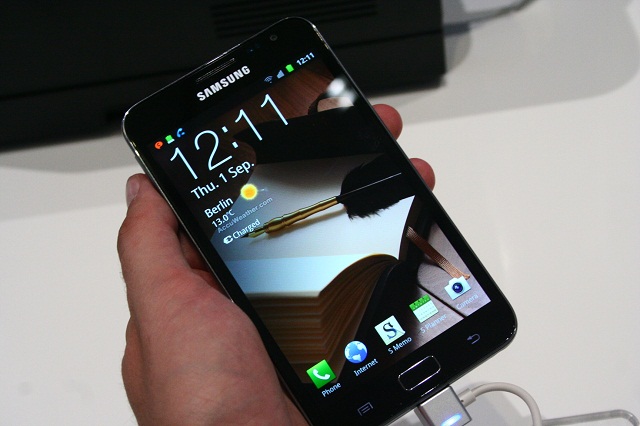
ICS STUNNER for Galaxy Note GT-N7000

Featuring:
  • Latest PLAY apps. Working without any issues.
  • AOKP Features. Look below for the Euphoria Control in screenshots.
  • Device Settings. Tweaking data connection, screen color tuning, touch keys, and more.
  • DSP Manager. Far better than stock MusicFX.
  • TabletUI and PhoneUI can be switched with one reboot.
  • MultiTasking Mode and Gaming Mode available for RAM Tweaking
  • Increased HEAP Size. Enjoy your large apps.
  • Ad-free browsing and applications you install.


Screenshots:

Tuesday, 27 March 2012

Sony Ericson မွာ ျမန္မာေဖာင့္ထဲ့မယ္ဗ်ိဳ႕

Sony Ericson မွာ ျမန္မာေဖာင့္ထဲ့မယ္ဗ်ိဳ႕

iPhone/iTouch မွာေတြပဲ ျမန္မာစာထဲ့တဲ့အေၾကာင္းေျပာရတဲ့ အီလာပီ၊.. ဒီတစ္ခါ.......
ညႀကီးမိုးခ်ဳပ္ ဘာလုပ္ရမလဲဆိုေတာ့... အင္း...အင္း....... အဲ...
မေမးနဲ႕ေတာ့ေလ.. topic မွာ ေျပာထားတဲ့အတိုင္းပဲ SE (sony ericson) ဖုန္းမွာ ျမန္မာေဖာင့္ထဲ့ထားတာေလးကို တင္ျပခ်င္လို႕ေပါ့ဗ်.. ဟီးဟီ
အေစာႀကီး အေစာႀကီး... ဟိုးးး အေစာႀကီးကထဲက (လြန္ခဲ့တဲ့ ၉ လအလြန္ေလာက္ကေပါ့..)
nokia s60 ဖုန္းမွာျမန္မာစာယူနီကုတ္ေဖာင့္ထဲ့ဖို႕ အတြက္ကို
အေတာ္ႀကိဳးစားလိုက္ရတယ္.. (မေအာင္ျမင္ခဲ့ဘူး..) ေဖာင့္ေတြေပၚေပမယ့္..
အရမ္းရြဲတယ္.. ဘာျဖစ္လို႕လဲလို႕ အစ္ကိုတစ္ ေယာက္ကို ေမးၾကည့္ေတာ့
ေဇာ္ဂ်ီဆိုတာ ယူနီကုတ္မစစ္ဘူးဆိုလားပဲ.. နဂိုကထဲကမွ က်ေတာ္ က
အူေၾကာင္ေၾကာင္ဆိုေတာ့..သူေျပာတဲ့ဟာေတြအားလံုးနဲ႕ ပတ္သက္ပီး
နားမလည္တာေတြကို နားမလည္သလိုပဲ ေနလိုက္ရတယ္... အဲ့ဒီတံုးက
ေကာက္ခ်က္ခ်မိလိုက္တာက

Saturday, 3 March 2012

ျမန္မာျပည္မွာ ဖုန္းေတြနဲ႔ အင္တာနက္သံုးနည္း


ေခတ္နဲ႔အညီ ရင္ေဘာင္တန္းၿပီး တိုးတက္ေနတဲ့ က်ေနာ္တို႔ ျမန္မာျပည္ႀကီးမွာ ဖုန္းေတြနဲ႔ အင္တာနက္သံုးလို႔ ရေနၿပီဆိုေတာ့ အင္တာနက္ Setting လုပ္တတ္ဖို႔ လိုအပ္လာၿပီ ထင္ပါတယ္။ အဲဒီအခါမွာ ကိုယ္က မလုပ္တတ္ေတာ့ ဖုန္းဆိုင္ကိုေျပး။ ဖုန္းဆိုင္ကလည္း ခပ္တည္တည္နဲ႔ ဘယ္ေလာက္က်တယ္ဆိုၿပီး မတန္တဆေတာင္း။ အဲသလို အလကား ပိုက္ဆံကုန္မယ့္ေဘးက ေ၀းရေလေအာင္ အင္တာနက္ကေတြ႔လာတဲ့ Internet Setting လုပ္နည္းေလး ေ၀မွ်လိုက္ပါတယ္။ မိတ္ေဆြမ်ား

How to install Team Rocket ICS ROM v1.5 beta on Samsung Galaxy Note

***Your device need to be rooted to install this ROM.***
***After root your phone, follow the below steps to install ICS.***

Download below.
TeamRocketRom_ICS_Notev1.4_beta
TeamRocketRom_ICS_Notev1.5_beta
15ToogleBar_for_TeamRocketROM_v1.5
Restore_to_orig._5_ToogleBar_for_TRR_v1.5


1. Copy "TeamRocketRom_ICS_Notev1.4_beta,
    TeamRocketRom_ICS_Notev1.5_beta," files into Phone via USB Cable

2. Power off the phone.

3. Press "Volume up + Power + Home" buttoms together to boot into Recovery mode.

How to install MidNote2.0 ICS ROM to Galaxy Note N7000


Pre-Installation Requirements/Tips

  1. Rooted Galaxy Note with Clockworkmod Recovery installed
  2. This procedure will wipe all your apps, data and settings (but it will NOT touch your SD card, so don’t worry about those). Backup your Apps and important data — bookmarks,contacts, SMS, APNs (internet settings), etc.
  3. Make sure the battery is sufficiently charged. At least 50% is recommended.

How to Install Midnote ROM on your Galaxy Note

  1. Download the following files to your  PC.
  2. Transfer all 3 files to the internal SDcard on your Note, via USB cable

Friday, 2 March 2012

How to replace system font with Zawgyi Font on Android Phone.

*Your phone need to be rooted to do the below steps.*

Download below.
Replace system font with Zawgyi

After download, extract it , then you will get the necessary files and softwares.

1. Install "Root Explorer".
2. Open "Root Explorer" and Choose R/W.
3. Copy "DroidSansThai.ttf" into System/Font
4. Choose "Replace".
5. You may need to reboot your phone.
6. Now you can read Zawgyi font on your android phone.
7. Enjoy.

How to install Zawgyi Font with FontChanger in Android Phone

*Your phone need to be rooted to do the below steps.*

Download below.
Zawgyi Font with FontChanger


After download, extract the folder and you will get the necessary file and softwarew.

1. Install "Root Explorer".
2. Install "FontChanger".
3. Open "Root Explorer" and Choose R/W.
4. Copy "ZawgyiOne.ttf, ZawgyiOne-Bold.ttf, ZawgyiOne-Mono.ttf"
    into Sdcard/.FontChanger. Exit "Root Explorer".
5. Open "FontChanger" and you will see "ZawgyiOne" in the font list.
6. Choose "ZawgyiOne"
7. Click Apply.
8. Click Reboot Now.
9. After phone reboot, you can read Myanmar Font.

Saturday, 28 January 2012

XXLA4 Android 2.3.6 firmware for Galaxy Note N7000


Another Android 2.3.6 firmware has leaked for the Galaxy Note. Sure we’re all waiting desperately for a firmware leak that is based on Ice Cream Sandwich, which Galaxy S2 has already had a bunch of leaks for.
Anyway, every leaked firmware from the Samsung labs is exciting enough for us to try & test, as in most cases they are more stable than the older firmwares. So lets proceed to the installation steps..
Warning!
The methods and procedures discussed here are considered risky and you should not attempt anything if you don’t know completely what it is. If any damage occurs to you or your device, we won’t be held liable — you only will be responsible, you’ve been warned!!!

How to Root Samsung Galaxy Note N7000

How to Root Samsung Galaxy Note N7000:
  • Now once you open the extracted folder, you will  find that there are three tools which are Odin Flash tool, CWM recovery kernel and also the Super user Zip file as shown in the below screen capture. Please note that just in case even if single file is missing, you will then have to re download the Zip file from the above link mentioned and extract the same.

  • After extracting the files, you will have to connect the phone to the computer using the USB cable and neec to copy the file named “SuperUSER-N7000-ef-signed” as mentioned in the above screen capture. Turn Off your Galaxy Note N7000 device so that you can then enter into the download mode. Open the Odin Flash tool in your computer at this moment.

Friday, 16 December 2011

Samsung Galaxy အမ်ိဳးအစားဖုန္းေတြနဲ႕ Galaxy Tab Tablet ေတြမွာ root လုပ္စရာမလုိပဲ ျမန္မာေဖာင့္ျမင္ရေအာင္လုပ္နည္း

Samsung Galaxy Phones & Tablets
Samsung Galaxy Series ဖုန္းေတြနဲ႕ Galaxy Tab Tablet ေတြမွာ root လုပ္စရာမလုိဘဲ ျမန္မာေဖာင့္ ျမင္ရတဲ့ application ေလးပါ။ Galaxy အားလံုးမွာသြင္းလုိ႕ရပါတယ္။ ဒါေပမယ့္ Ice Cream Sandwich နဲ ့အထက္ဆိုရင္ေတာ့ မရပါဘူး။ Android 4.0 ထက္နိမ့္ေသာ

Wednesday, 30 November 2011

GSM Message ကို Free ပို႔လို႔ရပါျပီ

တိုတိုတုတ္တုတ္ပဲေျပာမယ္ေနာ္
၁။သင့္ဖုန္းကGSMဖုန္းျဖစ္ပါေစ။
၂၊ဖုန္းရဲ႕ Message ကိုသြားပါ။
၃။Message Setting ကို၀င္ပါ။
၄။Message Center ကိုသြားပါ။
၅။အဲဒိမွာ *********003 လို႔ေတြ႔ပါလိမ့္မယ္။
၆။အဲဒိကေနာက္ဆံုးႏွစ္လံုး 03 ကို 14 လို႔ျပင္လိုက္ပါ။
၇။ျပီးရင္အေပၚမွာဘာမွမေရးထားရင္ SIM Center 1 လို႔ျပင္လိုက္ပါ။
၈။တစ္ခ်ိဳ႕ဖုန္းေတြမွာျပင္စရာမလိုပါဘူး။
၉။ျပင္ျပီးသြားျပီဆိုရင္ ပိုက္ဆံစစ္ျပီး တစ္ေစာင္ေလာက္စမ္းပို႔ၾကည့္ပါ။
၁၀။ပိုက္ဆံကုန္တယ္ဆိုရင္ အထက္ပါအခ်က္ေတြကိုျပန္စစ္ပါ။ပိုက္ဆံမကုန္ေတာ့ဘူးဆိုရင္ေတာ့ေအာင္ျမင္သြားပါျပီ။

Sunday, 6 November 2011

Android Vs iOS (သင္ဘာကုိေရြးမလဲ)


Apple ရဲ႕ iPhone Generation မ်ားဟာ အခုအခ်ိန္ထိ ကမၻာေပၚမွာ အေကာင္းဆုံး စမတ္ဖုန္းအျဖစ္အသိအမွတ္ျပဳထားၾကတဲ့ဖုန္းအမ်ိဳးအစားျဖစ္ပါတယ္။ဒါေပမယ့္ အခုေနာက္ပုိင္းမွာ
Google ရဲ႕Android Operating System သုံးဖုန္းမ်ားဟာ ဖုန္းေစ်းကြက္ထဲမွာ အမ်ားအျပားေနရာယူလာပါတယ္။ အဲဒီလုိပဲGoogle ရဲ႕ Android OS သုံးဖုန္းမ်ား နဲ႕ Apple ရဲ႕ iOS
စနစ္သုံးဖုန္းမ်ားျဖစ္တဲ့ iPhone တုိ႕ဟာလည္း
Print Friendly and PDF